
Primary navigation on a website is a list of the most relevant links or categories. It is recommended to limit that list to no more than eight items for better usability.
How to configure Primary and Secondary Navigation Menu Blocks in #Drupal7 and #Drupal8Tweet this
Each of those links often has sub-items and sometimes it is required to always display them when their parent item or one of the sibling items is active.
This is usually implemented through separate Menu Blocks containing the first and second levels of the Menu structure. These Blocks are usually called Primary and Secondary menu in Drupal.
Back to topDrupal 7 Menu settings—Primary and Secondary navigation
In Drupal 7 and older there is a Menu setting where you can choose which menu to use as Primary and Secondary level of navigation:
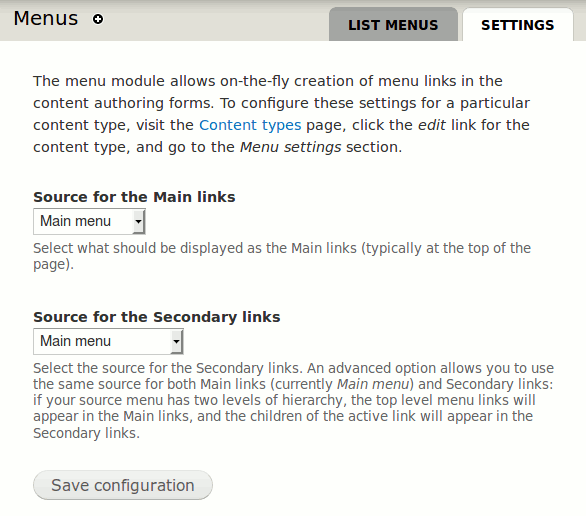
You could use separate Menus for Primary and Secondary levels, but it makes more sense to create one Menu with two or more levels (depths):
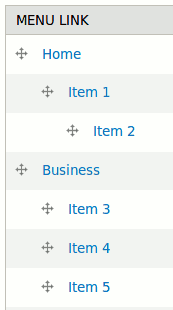
Then you can choose the same Menu under both Menu settings and Drupal would automatically only use the first level for Main links and lower levels for the Secondary links.
When you have that set up, and if you have the Main and Secondary links available and enabled in your theme:
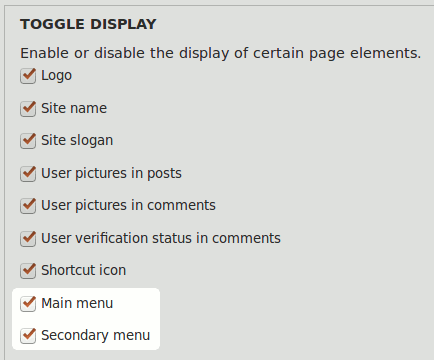
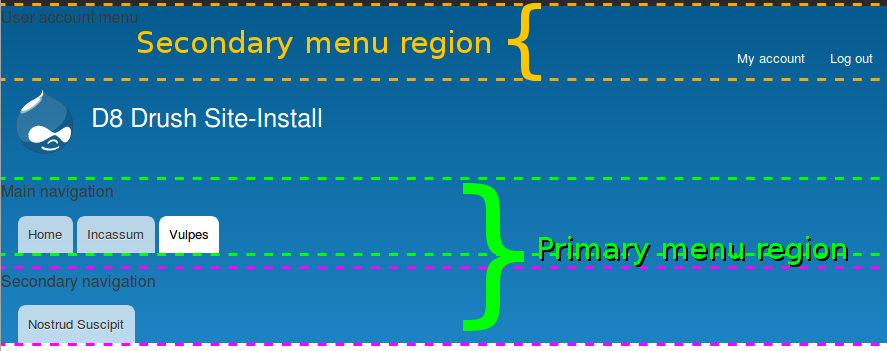
you can see the Secondary items related to the parent item when you visit the parent page. Secondary items will appear in the place where the theme predicted it. In Bartik it's at the top right corner of the Header (this is a Drupal 8 screenshot, but the layout and styles are the same in Drupal 7):
Read more about Drupal 7 options in this question: How can I make my menu children display horizontally below my main menu?.
Back to topDrupal 8 Navigation Menu Blocks configuration
Drupal 8 made changes to the Primary and Secondary navigation Menu settings: Global menus (primary links, secondary links) have been converted into blocks.
This means that in Drupal 8 you still create a Menu with more than one level for your navigation, but the theme (under Appearance) won't have a setting to display them or not.
Instead, you can go straight to Blocks and place two instances of the same Main navigation block in regions of your choice. You can even include that (or any) block twice in the same region which can be useful if you want different navigation levels one below the other.
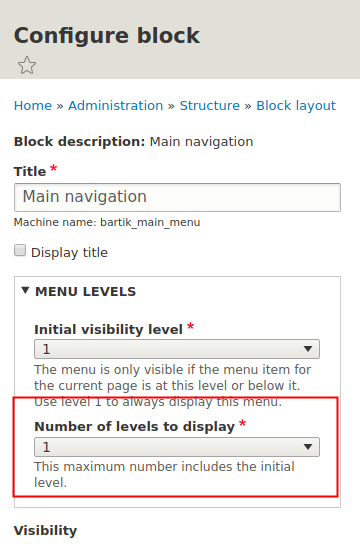
The Main navigation block instances need to be configured differently. The first one (Primary navigation) should always be visible and only show one level (image from D8 Docs: Menu Configuration):
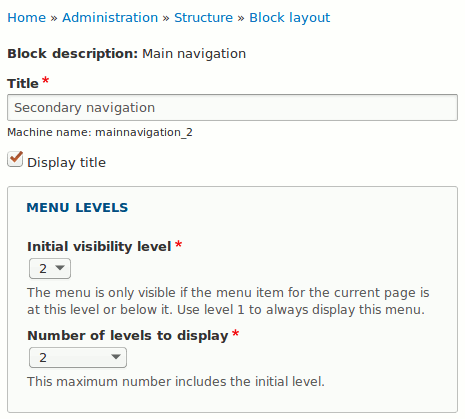
The second one (Secondary navigation) should only show when the parent from first level becomes active:
Theme regions Primary menu and Secondary menu
Although there are no theme settings anymore to turn on special areas that are styled specifically as primary and secondary links, themes can still provide a similar feature through special theme regions.
Need help? Schedule a free 15 minutes evaluation callContact me
Bartik in Drupal 8 has regions called Primary menu and Secondary menu that look very similar to what they looked like in Drupal 7:
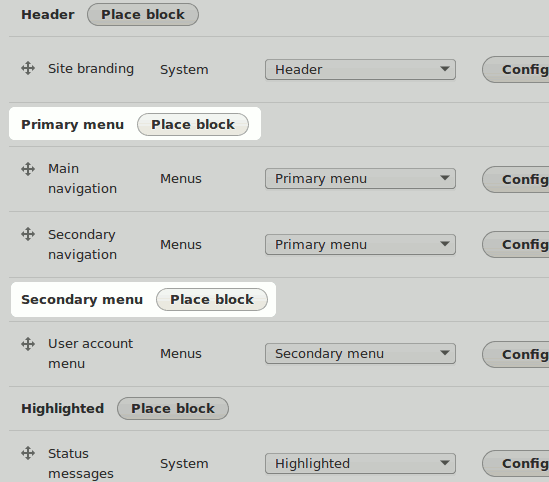
The above configuration would output something like this:
These regions aren't limited to housing navigation blocks, any block can be placed there. But they do provide styled menu items out of the box when menu blocks are placed there. I expect many other themes will follow this suit.
How to configure Primary and Secondary Navigation Menu Blocks in #Drupal7 and #Drupal8Tweet this
If you're creating your own custom theme consider creating special regions for the two menus that would be displayed on top of the page, and style them accordingly. Many users will like or even expect to have regions dedicated to the most important navigation menus and have them automatically styled.
To go further than that add special horizontal Secondary menu styling for the second block in the Primary menu region.